Since its inception in 2020, my Kubernetes stack happily serves this blog and my [lighthouse service](https://lighthouse.admantium.com/). While I updated the application code base, I did stay with the Kubernetes version installed at that date and time: v1.17. It’s time to change that, and upgrade stepwise to a most recent version. The upgrade seemed to be challengingly, and so I made some notes which ultimately led to this blog post.
Terraform is an infrastructure-as-code tool that helps you to manage different resources declaratively. Providers that offer an API for resource managing can be used out of the box, for example for the Hetzner cloud as shown in my last article. When using AWS, this is different: You need to install and configure and AWS cli tool which will then be used by Terraform to create and manage the resources.
Terraform is a declarative infrastructure configuration language that enables you to define computing resources, firewall rules, user accounts, and any other concepts of cloud infrastructures.
Terraform is an infrastructure configuration language. It supports the declarative, stateful definition of abstractions ranging from compute resources, server configuration, certificates, secrets, and much more. In addition to a powerful set of CLI commands, the configuration language itself provides several powerful abstractions that can be used to structure complex projects as required.
Terraform is an infrastructure provisioning tool. At its core, you define a declarative manifest of resources that represent concrete computing instances, system configuration such as networks, firewalls, and infrastructure configuration. Terraform adheres to the concept of immutable infrastructure: Resources should match the state as expressed in the manifests, and any difference between the concrete objects and the manifests are resolved by changing the conrete object or recreate it.
Terraform is an infrastructure provisioning tool. From a declarative resource description, concrete infrastructure objects are created. In my last articles, you learned about Terraform projects, i.e.how to configure providers and resources and the recommended file structure. Also, you learned about the Terraform workflow consisting of a one-time initialization, followed by iterative phases of writing, planning, and applying.
Terraform facilitates managing compute resources, user accounts, certificates, secrets, and much more in different cloud environments. At its heart is a declarative specification language with which resources are expressed, and a rich CLI that executes various commands.
Terraform is an infrastructure configuration language. It supports the declarative, stateful definition of abstractions ranging from compute resources, network components, server configuration, and user accounts and permissions. With a wide range of provisioners - environments and scripts that facilitate the creation of these abstraction - it has a strong position in DevOps operations.
When you build a robot, there are basically two approaches: You can either start from scratch, get all required hardware, the chassis, sensor, actuators and microcontroller or single-board computers, and program the software. Or you buy a complete kit which includes all parts and a software stack.
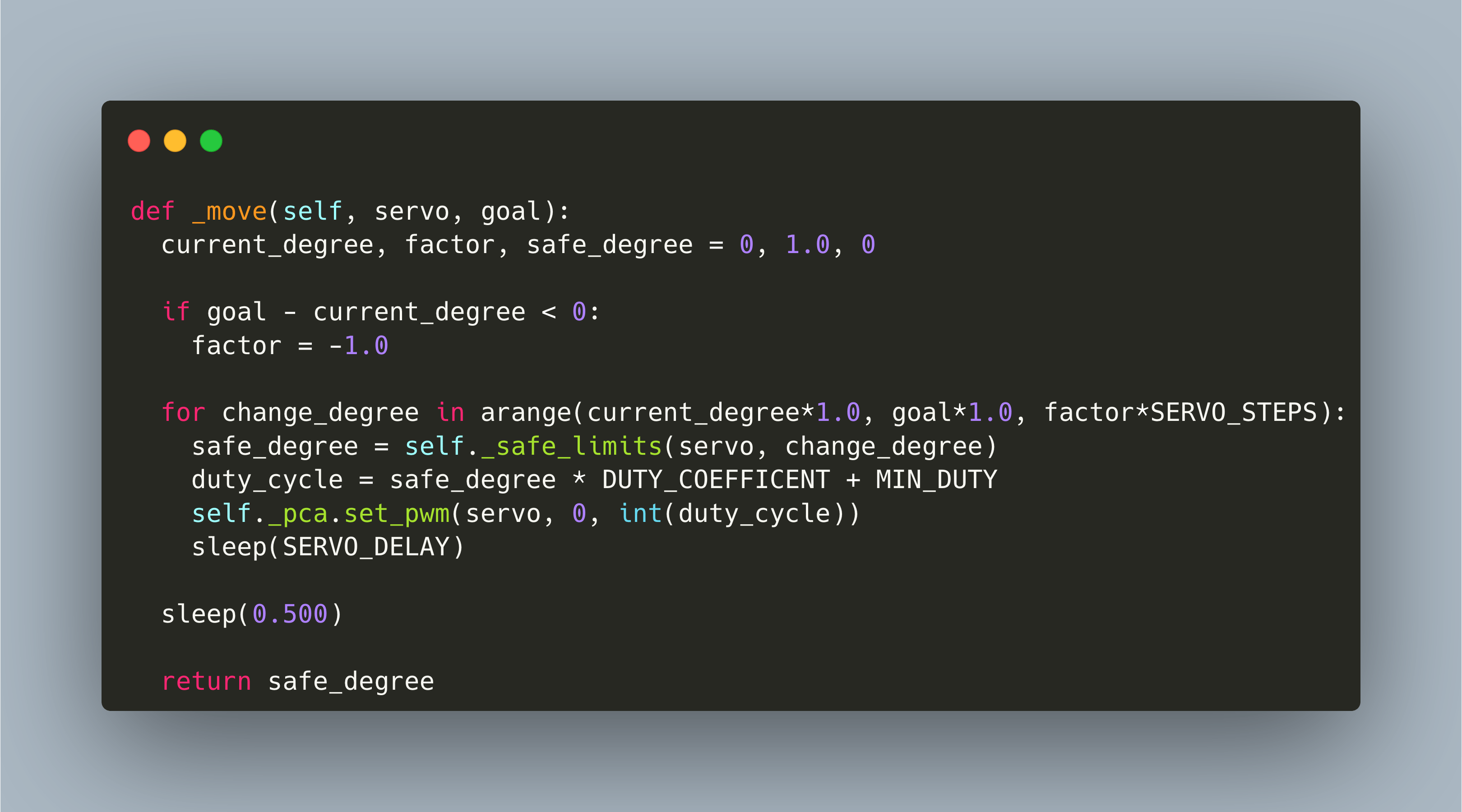
The Raspberry Pi Arm kit is a 4 degree of freedom robot manipulator. Its 4 servo motors are connected via a custom motor hat that put on top of the raspberry Pi. This hat is based on the PCA9685, an I2C motor controller. Using Python, we can program this arm.