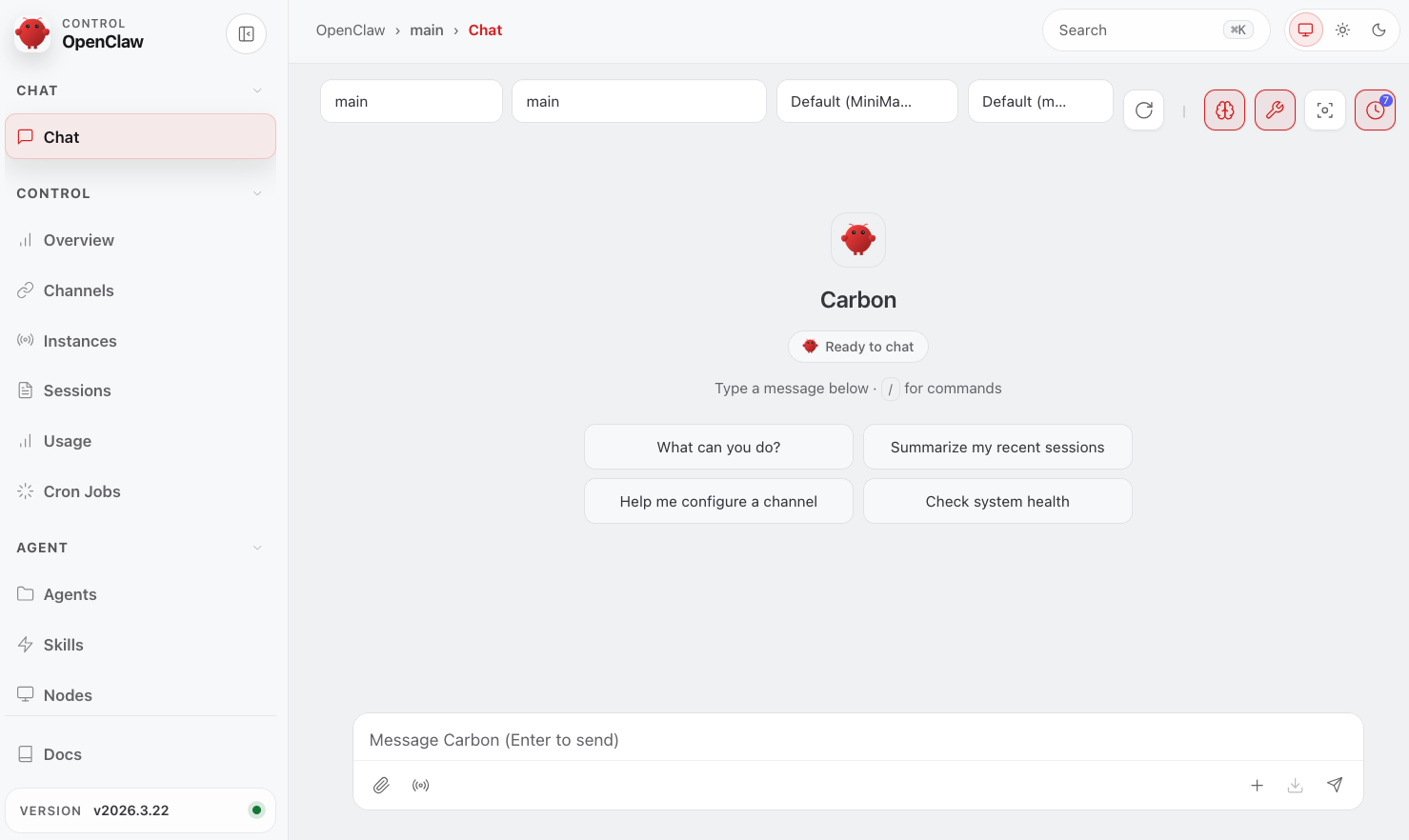
In 2026, agentic AI tools and frameworks generated much interest from technical and non-technical users alike. On the forefront of all of these tools is OpenClaw, the most popular open-source project that catapulted agents into mainstream usage.
This article covers the complete installation steps and setup. You will learn how to install OpenClaw on your local computer, set up Telegram as the communication channel, and perform essential security hardening.
The technical context of this article is OpenClaw v2026.6.11 released 2026-06-30. All provided information and command examples should be valid with newer versions too, barring an update of the CLI commands’ syntax. However, configuration details differ between OpenClaw versions, and therefore, you should check the most recent documentation guidelines as well.
While I’m fascinated by the capabilities of artificial intelligence tools and applications, crafting blog articles remains my personal skill. Every character, number, and symbol in this article was typed manually, with the exception of verbose copies from log messages and screenshots.
Prerequisites
To install and run OpenClaw, you need a computer with either Linux or Windows, and the NodeJS library installed. This opens the option to use a spare laptop or computer, a dedicated VPS like several other installation guides explain, or even just a local Raspberry Pi. The only crucial requirements are available CPU and RAM: 2GB RAM and 2 CPUs are the minimal requirements, and 4GB RAM and 4 vCPUs are sufficient for an installation that produces a medium or high system load.
| Platform | Minimum | Recommended | Notes |
|---|---|---|---|
| Raspberry Pi | Raspberry Pi 3+ | Raspberry Pi 4+ | 32-bit OS supported |
| Linux x64 | Ubuntu 20.04+ | Ubuntu 22.04+ | Debian/Ubuntu derivatives |
| Cloud VPS | 2GB RAM, 2 vCPU | 4GB RAM, 4 vCPU | AWS EC2, DigitalOcean, etc. |
As for the software, only NodeJS is strictly required. If you want to use Docker for the hosting environment, you need to ensure that a proper version is installed as well.
| Libraries | Minimum | Recommended |
|---|---|---|
| NodeJS | v22.19 | v24 |
| Docker | v20.10+ | v24.0+ |
Installation
OpenClaw can be installed in three ways: As a Docker container that includes all dependencies, as a bash script that checks and installs missing dependencies, or just by adding the NPM packages.
In a freshly installed, current Linux distribution, adding the NPM package is sufficient. Simply run the following command.
npm i -g openclaw@2026.6.11
Installation can take up to several minutes. Once completed, a unified OpenClaw process starts which creates both a gateway process and the dashboard.
An essential command with which to verify the installation, and to identify any issues, is openclaw doctor. Run it once to ensure the installation succeeded, but stop before making any configuration.
openclaw doctor


🦞 OpenClaw 2026.6.11 (4dcc39c) — Making 'I'll automate that later' happen now.


▄▄▄▄▄▄▄▄▄▄▄▄▄▄▄▄▄▄▄▄▄▄▄▄▄▄▄▄▄▄▄▄▄▄▄▄▄▄▄▄▄▄▄▄▄▄▄▄▄▄▄▄
██░▄▄▄░██░▄▄░██░▄▄▄██░▀██░██░▄▄▀██░████░▄▄▀██░███░██
██░███░██░▀▀░██░▄▄▄██░█░█░██░█████░████░▀▀░██░█░█░██
██░▀▀▀░██░█████░▀▀▀██░██▄░██░▀▀▄██░▀▀░█░██░██▄▀▄▀▄██
▀▀▀▀▀▀▀▀▀▀▀▀▀▀▀▀▀▀▀▀▀▀▀▀▀▀▀▀▀▀▀▀▀▀▀▀▀▀▀▀▀▀▀▀▀▀▀▀▀▀▀▀
                  🦞 OPENCLAW 🦞


┌  OpenClaw doctor
│
◇  Startup optimization ─────────────────────────────────────────────────────────────────────╮
│                                                                                            │
│  - NODE_COMPILE_CACHE is not set; repeated CLI runs can be slower on small hosts (Pi/VM).  │
│  - OPENCLAW_NO_RESPAWN is not set to 1; set it to avoid extra startup overhead from        │
│    self-respawn.                                                                           │
│  - Suggested env for low-power hosts:                                                      │
│    export NODE_COMPILE_CACHE=/var/tmp/openclaw-compile-cache                               │
│    mkdir -p /var/tmp/openclaw-compile-cache                                                │
│    export OPENCLAW_NO_RESPAWN=1                                                            │
│                                                                                            │
├────────────────────────────────────────────────────────────────────────────────────────────╯
│
◇  Gateway ──────────────────────────────────────────────────────────╮
│                                                                    │
│  gateway.mode is unset; gateway start will be blocked.             │
│  Fix: run openclaw configure and set Gateway mode (local/remote).  │
│  Or set directly: openclaw config set gateway.mode local           │
│  Missing config: run openclaw setup first.                         │
│                                                                    │
├────────────────────────────────────────────────────────────────────╯
│
◇  Gateway auth ──────────────────────────────────────────────────────────────────────╮
│                                                                                     │
│  Gateway auth is off or missing a token. Token auth is now the recommended default  │
│  (including loopback).                                                              │
│                                                                                     │
├─────────────────────────────────────────────────────────────────────────────────────╯
│
■  Generate and configure a gateway token now?
...
Setup
The configuration complexity of OpenClaw seems daunting, but all available options are streamlined during the initial onboarding process. I recommend starting the installation with the interactive onboarding wizard, and tweaking individual settings after this initial setup.
Start the process with the following command:
openclaw onboard --install-daemon


🦞 OpenClaw 2026.6.11 (4dcc39c) — I've read more man pages than any human should—so you don't have to.


▄▄▄▄▄▄▄▄▄▄▄▄▄▄▄▄▄▄▄▄▄▄▄▄▄▄▄▄▄▄▄▄▄▄▄▄▄▄▄▄▄▄▄▄▄▄▄▄▄▄▄▄
██░▄▄▄░██░▄▄░██░▄▄▄██░▀██░██░▄▄▀██░████░▄▄▀██░███░██
██░███░██░▀▀░██░▄▄▄██░█░█░██░█████░████░▀▀░██░█░█░██
██░▀▀▀░██░█████░▀▀▀██░██▄░██░▀▀▄██░▀▀░█░██░██▄▀▄▀▄██
▀▀▀▀▀▀▀▀▀▀▀▀▀▀▀▀▀▀▀▀▀▀▀▀▀▀▀▀▀▀▀▀▀▀▀▀▀▀▀▀▀▀▀▀▀▀▀▀▀▀▀▀
                  🦞 OPENCLAW 🦞


┌  OpenClaw setup
This ongoing setup dialog will guide you through different installation phases. The following list divides the setup decisions, and shows the corresponding dialog prompt printed in the terminal.
- Security Warning
◆  I understand this is personal-by-default and shared/multi-user use requires lock-down. Continue?
│  ● Yes / ○ No
A disclaimer about the project’s nature, mentioning risks and concerns, and listing guidelines for a safe initial configuration. You need to answer with Yes in order to continue.
- Setup Mode
◆  Setup mode
│  ● QuickStart (Configure details later via openclaw configure.)
│  ○ Manual
The Manual setup mode is intended for configuring OpenClaw on a public internet host, detailing network stack configurations including URL and port. Continue with the preselected QuickStart for an instance that runs locally.
- Model Configuration
◆  Model/auth provider
│  ● Alibaba Cloud Model Studio (Coding Plan API key (CN / Global))
│  ○ Anthropic
│  ○ BytePlus
│  ○ Chutes
OpenClaw needs at least one LLM provider for processing inputs. The list is quite extensive, enabling free selection from more than 30 providers. It includes well-known options such as OpenAI, Anthropic, DeepSeek, or Minimax, API gateways like LiteLLM, and multi-provider aggregators like OpenRouter.
- Channel Configuration
Select channel (QuickStart)
│  ● Telegram (Bot API) (recommended · newcomer-friendly)
│  ○ WhatsApp (QR link)
│  ○ Discord (Bot API)
An OpenClaw installation exposes a dashboard with many features, one being a chat interface. However, the true appeal of OpenClaw is its compatibility with different communication channels: messengers like WhatsApp and Signal, collaboration tools like Slack and Discord, and integrations with ecosystems like Mattermost or Nextcloud.
- Search provider
Search provider
│  ○ Brave Search
│  ● DuckDuckGo Search (experimental) (Free web search fallback with no API key required · key-free)
│  ○ Exa Search
OpenClaw agents frequently perform web searches to fetch accurate and up-to-date information. Technically, search results should be provided in a non-HTML format, for example JSON. This structure can be obtained from search providers, which require a dedicated, paid account. The alternative is to use a headless Brave browser, which works, but can run into bot-detection challenges.
- Skills
Skills status ─────────────╮
│                             │
│  Eligible: 3                │
│  Missing requirements: 40   │
│  Unsupported on this OS: 7  │
│  Blocked by allowlist: 0    │
│                             │
├─────────────────────────────╯
│
◆  Configure skills now? (recommended)
│  ● Yes / ○ No
│
Install missing skill dependencies
│  ◻ Skip for now (Continue without installing dependencies)
│  ◻ 🔐 1password
│  ◻ 📰 blogwatcher
│  ◻ 🫐 blucli
│  ◻ 📸 camsnap
│  ◻ 🧩 clawhub
│  ◻ 🛌 eightctl
Skills extend the capabilities of your OpenClaw agents. Much of the perceived user value stems from sophisticated skill definitions that are included and activated by default. This includes interfacing natively with apps installed on the computer, accessing internet services from Google, BlueSky, or Obsidian, and much more. And of course, you can further extend the skills once the initial setup is completed.
- Hooks
 Hooks ──────────────────────────────────────────────────────────────────╮
│                                                                          │
│  Hooks let you automate actions when agent commands are issued.          │
│  Example: Save session context to memory when you issue /new or /reset.  │
│                                                                          │
│  Learn more: https://docs.openclaw.ai/automation/hooks                   │
│                                                                          │
├──────────────────────────────────────────────────────────────────────────╯
│
◆  Enable hooks?
│  ◻ Skip for now
│  ◻ 🚀 boot-md
│  ◻ 📎 bootstrap-extra-files
│  ◻ 📝 command-logger
│  ◻ 💾 session-memory
When using an OpenClaw agent, the invocation traverses typical lifecycle phases from initialization, tool access, execution, and answer generation. During these phases, hooks can be executed, with the goal of extending or tweaking the default behavior. A common option is to activate an additional prompt during initialization, which can be achieved with the boot-md hook.
- Technical Setup
◇  Systemd ───────────────────────────────────────────────────────────────────────────────╮
│                                                                                         │
│  Systemd user services are unavailable. Skipping lingering checks and service install.  │
│                                                                                         │
├─────────────────────────────────────────────────────────────────────────────────────────╯


...


◇  Gateway service ─────────────────────────────────────────────────────────────────────╮
│                                                                                       │
│  Systemd user services are unavailable; skipping service install. Use your container  │
│  supervisor or `docker compose up -d`.                                                │
│                                                                                       │
├───────────────────────────────────────────────────────────────────────────────────────╯
│


...


◇  Control UI ───────────────────────────────────────────────────────────────────────────────╮
│                                                                                            │
│  Web UI: <http://127.0.0.1:18789/>                                                        │
│  Web UI (with token):                                                                     │
│  <http://127.0.0.1:18789/#token=faf2ffc95ec703f656941f8d601e9d8db166e808765abfb7>        │
│  Gateway WS: ws://127.0.0.1:18789                                                         │
│  Gateway: not detected (gateway closed (1006 abnormal closure (no close frame)): no close │
│  reason)                                                                                  │
│  Docs: <https://docs.openclaw.ai/web/control-ui>                                          │
│                                                                                            │
├────────────────────────────────────────────────────────────────────────────────────────────╯


...


◇  Security ──────────────────────────────────────────────────────╮
│                                                                 │
│  Running agents on your computer is risky — harden your setup:  │
│  <https://docs.openclaw.ai/security>                            │
│                                                                 │
├─────────────────────────────────────────────────────────────────╯


...


└  Onboarding complete. Use the dashboard link above to control OpenClaw.
In this non-interactive phase, the OpenClaw installation sets up a systemd service, starts it, performs a health check, prints access information, and other data.
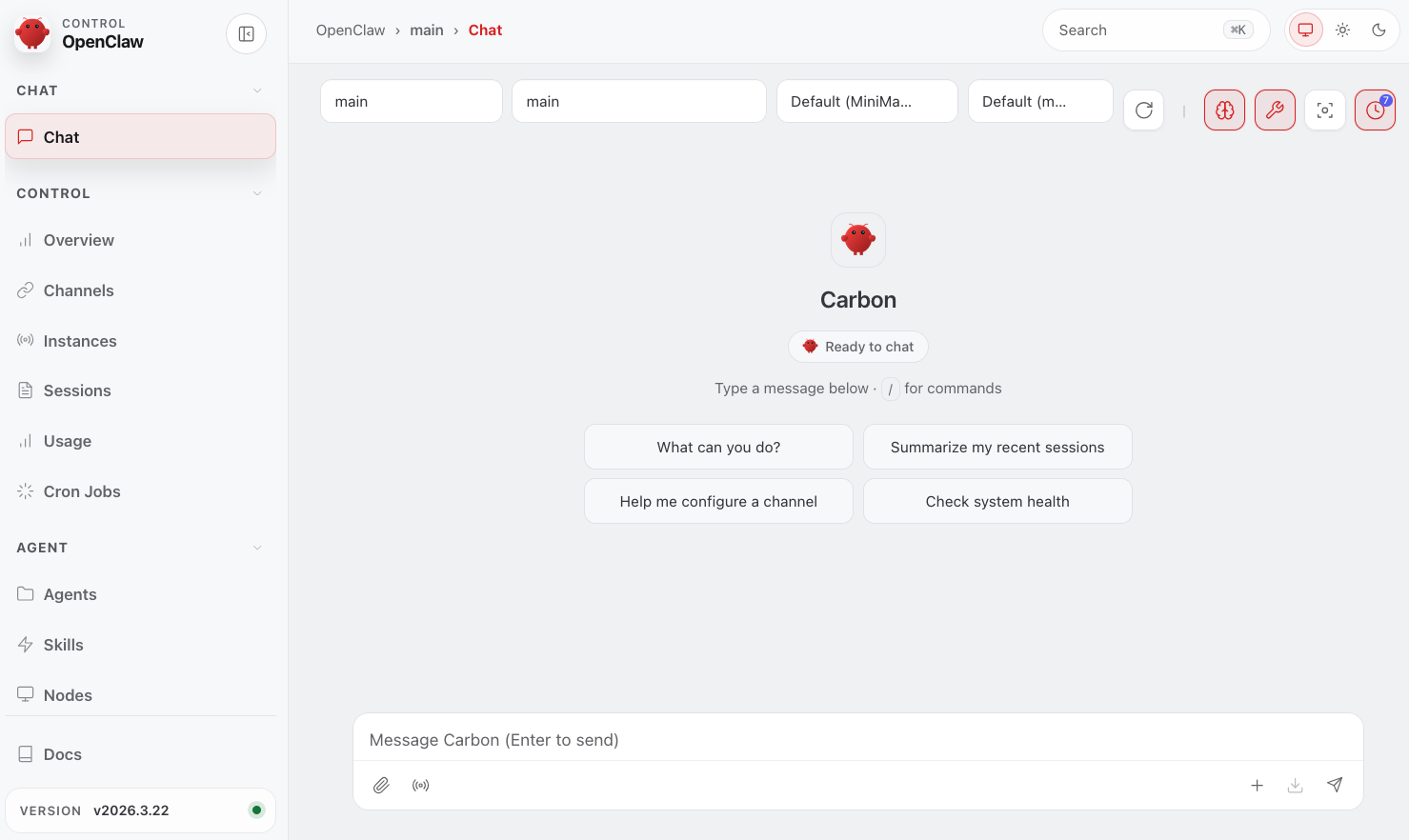
This concludes the onboarding, and you can now access the OpenClaw dashboard. To see the required dashboard URL, run the command openclaw dashboard --no-open; it prints a URL string with the required token embedding.
Telegram Integration Setup
One of OpenClaw’s strengths is its capability to be accessible from many different channels. Integration with the Telegram messenger provides an always-enabled connection for communication with your OpenClaw instance and for receiving messages that result from asynchronous tasks, for example cron jobs.
Telegram setup follows these steps.
Create a New Telegram Bot
A bot is a system user configured in Telegram, with a unique ID. It can be created through the Telegram chat interface itself. Follow these steps:
- Open a message to @BotFather
- Enter the
/newbotcommand. - Provide a bot name, which is the unique ID with which to access the bot. You can use acronyms and cryptic letter/number combinations to prevent accidental access from other Telegram users.
- Configure the Bot Username, which is the account name to which you refer in OpenClaw. Use mnemonics or generic names to identify the bot, such as “Researcher”.
When the bot is configured, a 46-character bot token is printed in Telegram. This access token needs to be configured in the OpenClaw instance to enable access. You can manually edit the openclaw.json configuration file, or use openclaw onboard again and only change the channel configuration. The CLI dialogue is as follows:
Telegram bot token ────────────────────────────────────╮
│                                                         │
│  1) Open Telegram and chat with @BotFather              │
│  2) Run /newbot (or /mybots)                            │
│  3) Copy the token (looks like 123456:ABC...)           │
│  Tip: you can also set TELEGRAM_BOT_TOKEN in your env.  │
│  Docs: <https://docs.openclaw.ai/telegram>              │
│  Website: <https://openclaw.ai>                         │
│                                                         │
├─────────────────────────────────────────────────────────╯
│
◇  How do you want to provide this Telegram bot token?
│  Enter Telegram bot token
│
◆  Enter Telegram bot token
The final step is to allow the OpenClaw instance to communicate with the bot. This process, called pairing, is started by sending a new message to the bot via Telegram. This will create a short, 5-character access token. And this token needs to be confirmed in your OpenClaw instance.
On your instance, run the following commands, and insert this token.
openclaw pairing list telegram
openclaw pairing approve telegram $TOKEN
Now you can send a message to your bot and your instance should answer. If not, please check the troubleshooting hints in the next section.
Telegram Troubleshooting
A typical error case is that the bot is not answering at all. In my personal experience, this often can be boiled down to a typo in the bot token. You can check this by sending the token to a Telegram status API endpoint. In the following example, replace "${TOKEN}" with the 46-character token.
curl -s "https://api.telegram.org/bot${TOKEN}/getMe"
If the token is not correct, you will receive a JSON document with the following content.
{
  "ok": false,
  "error_code": 401,
  "description": "Unauthorized"
}
… while a correct token creates this:
{
  "ok": true,
  "result": {
    "id": "REDACTED",
    "is_bot": true,
    "first_name": "claw",
    "username": "REDACTED",
    "can_join_groups": true,
    "can_read_all_group_messages": false,
    "supports_inline_queries": false,
    "can_connect_to_business": false,
    "has_main_web_app": false,
    "has_topics_enabled": false,
    "allows_users_to_create_topics": false
  }
}
When the bot token is correct, but the error persists, a network error in the Telegram-to-OpenClaw instance communication is likely. Run the following command:
openclaw channels status --probe


Gateway reachable.

- Telegram default: enabled, configured, running, mode:polling, bot:@REDACTED, token:config, works
If this shows a specific error message, access the OpenClaw documentation for further information, and hopefully your access problem can be resolved.
Conclusion and Next Steps
OpenClaw is an agentic tool which provides both full access to a computer and abundant skills to interface with external systems. It is the premier tool that catapulted the capabilities of LLM agents to the public. In this article, you learned how to install OpenClaw from scratch. Installation is simple; a mere NPM package on a current Linux distribution is sufficient. Onboarding is an interactive dialogue, which guides you through model, channel, search provider, skills, and hooks. Telegram channel configuration involves bot creation, bot token configuration, and pairing. With the installation completed, you can start exploring the many use cases that OpenClaw offers.