Hashicorp Vault provides many features, and the secure storage of encrypted data and secrets is at its heart. Secrets engines are dedicated plugins that govern this storage. They can be grouped into builtin, application and services, cloud, and encryption keys. While all secret engines provide a REST API for interaction, some Vault builtin engines also have dedicated CLI commands.
In this article, all CLI commands for managing or using keys are explored. These commands target the transform, transit, pki and ssh secrets engines. To further the understanding of applying these commands, examples in the context of a local, three server Vault cluster will be shown.
The technical context of this article is hashicorp_vault_v1.21.1, released 2025-11-18. All provided information and command examples should be valid with newer versions too, baring an update of the CLI commands’ syntax.
The background material for this article stems from the official Hashicorp Vault documentation about Vault CLI and subsequent pages, as well as information from the binary itself.
Vault CLI Overview
The Vault CLI provides more than 30 commands. For systematically explaining and contextualizing each command, they can be structured as follows.
Groups and commands marked with a checkmark were covered in an earlier article, and commands marked with an at sign are the focus for this article.
- ✅ Initialization
server: Starts a server processagent: Starts an agent process, a utility to communicate with a vault server to gain access to tokensproxy: Starts a vault proxy process
- ✅ Configuration
operator: Cluster management operations, including memberships, encryption and unseal keysplugin: Manage and install additional pluginsread/list: Access stored configuration and secretswrite/patch: Modify or create any datadelete: Delete configuration data or secrets
- ✅ Introspection
status: Show status information of the vault serverversion: Shows compact version information and build timestampversion-history: Shows detailed version information about all previously used vault server instancesprint: Detailed view of the vault’s server runtime configurationpath-help: Detailed documentation about API endpointsevents: Subscribe to the event stream of a running vault instancemonitor: Print vault log messagesdebug: Shows debug information of the connected Vault serveraudit: Interact with connected audit devices
- ✅ Vault Enterprise
hcp: Operate a managed Hashicorp Vault clusternamespace: Interact with configured namespaces of the cluster
- ✅ Authorization
policy: Manage policy definitions that govern all vault operationstokens: General token managementlease: Manage current token leases, including renewal, revocation and TTL modification
- Authentication
- ✅
auth: Interact with configured authentication options - ✅
login: Authenticates access to a Vault server
- ✅
- Secrets Management
- ✅
secrets: General configuration of secret engines - ✅
kv: Access to the essential key-value store - 🌀
transform: Interact with the transform secrets engine - 🌀
transit: Interact with the Vaults transit secrets engine - 🌀
unwrap: One-time access to arbitrary encrypted data - 🌀
pki: Access the private key infrastructure secrets engine - 🌀
ssh: Initiates SSH sessions via the SSH secrets engine
- ✅
General Purpose Encryption Key Commands
transform
The transform command allows to import a self-managed key for the purpose of defining a new generic or a special format preserving encryption tokenizer.
Alas, the transform secret engine is a Vault enterprise feature. A try to mount the secret engine merely results in an error.
> vault secrets enable transform

# Log messages
Error enabling: Error making API request.

URL: POST http://127.0.0.1:8210/v1/sys/mounts/transform
Code: 400. Errors:

* plugin not found in the catalog: transform

# Log messages
Retrieving wrapping key.
failed to fetch wrapping key: no mount found at transform: <nil>
transit
Normally, secret data is stored in Vault, but the transit engine instead encrypts or decrypts provided data without keeping a record of it. Therefore, it can be considered encryption-as-a-service.
The transit command allows to import external, self-managed keys with the import or import-version subcommands. Here is a full example, starting with the secret engines’ activation, key generation, and key import.
# Activate the transit secret engine
> vault secrets enable transit

# Generate the key in DER format, then encode in base64
> openssl genpkey -algorithm ed25519 -outform DER -out ed25519.key.der
> cat ed25519.key.der| base64 > ed25519.key.b64

# Import the key
> vault transit import transit/keys/ed25519 @ed25519.key.b64 type="ed25519-2048" derived=true

# Log messages
Retrieving wrapping key.
Wrapping source key with ephemeral key.
Encrypting ephemeral key with wrapping key.
Submitting wrapped key.
Success!

# Check the key
> vault read transit/keys/rsa

# Log messages
Key                            Value
---                            -----
allow_plaintext_backup         false
auto_rotate_period             0s
convergent_encryption          false
deletion_allowed               false
derived                        true
exportable                     false
imported_key                   true
imported_key_allow_rotation    false
kdf                            hkdf_sha256
keys                           map[1:map[certificate_chain: creation_time:2025-12-23T08:18:13.700025+01:00 hybrid_public_key: name:ed25519 public_key:]]
latest_version                 1
min_available_version          0
min_decryption_version         1
min_encryption_version         0
name                           ed25519
supports_decryption            false
supports_derivation            true
supports_encryption            false
supports_signing               true
type                           ed25519
unwrap
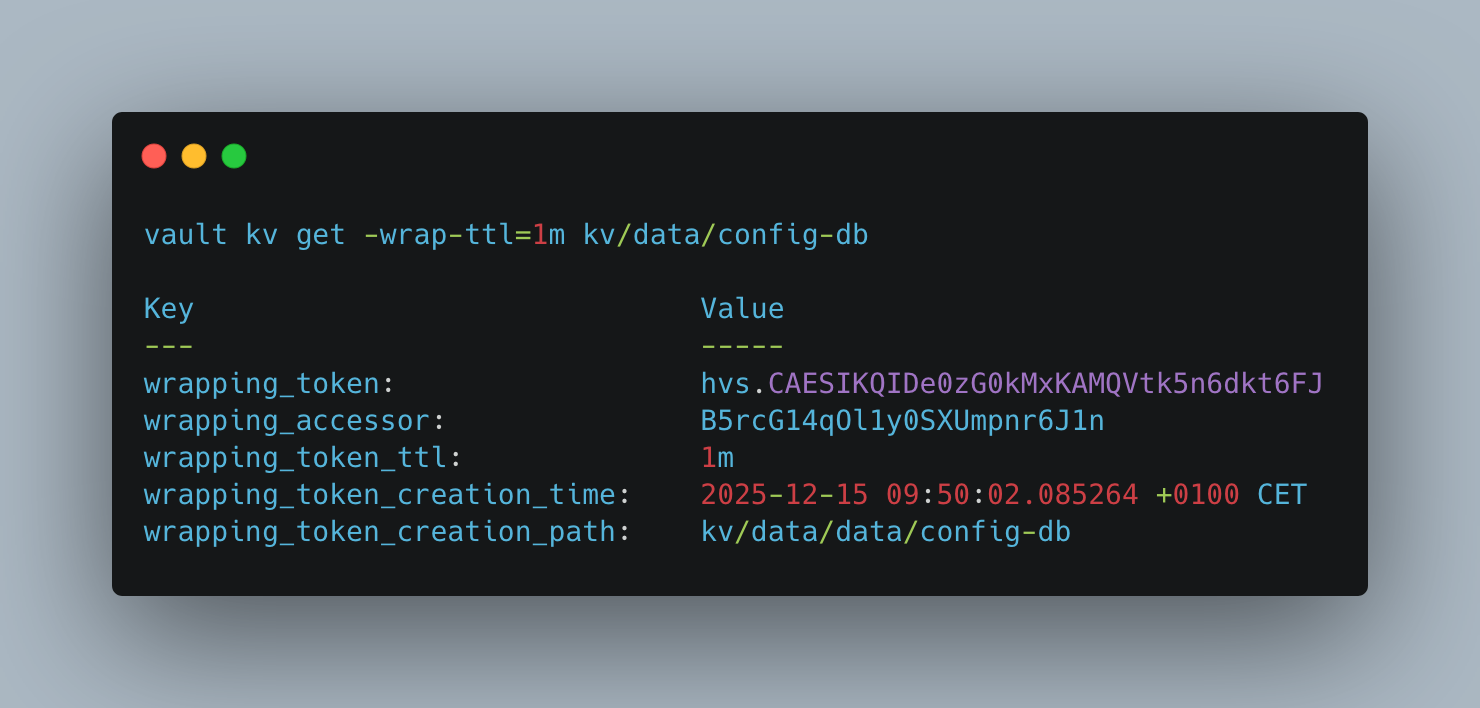
The conventional workflow to access secrets in Hashicorp Vault is that a user or system authorizes, retrieves a token, and accesses end points to which the policies associated with the issued token provide sufficient access rights. However, in some situations, it might not be desirable to allow access for a prolonged period of time, or it is required to access a stored secret only once. For these situations, Vault provides a feature called response wrapping. The original returned data is encrypted and stored in a cubbyhole secret, and a token to decrypt this secret is returned instead. To retrieve this secret, the unwrap function can be used.
The following example shows how to create a secret in a KV store, then wrapping the secret access, and then to unwrap it.
> vault secrets enable --version=2

# Log messages
Success! Enabled the kv secrets engine at: kv/

> vault kv put kv/data/config-db admin=0ab84480a1efb802c1bd2

# Log messages
===== Secret Path =====
kv/data/data/config-db

======= Metadata =======
Key                Value
---                -----
created_time       2025-12-15T08:48:25.820085Z
custom_metadata    <nil>
deletion_time      n/a
destroyed          false
version            1

> vault kv get -wrap-ttl=1m kv/data/config-db

# Log messages
Key                              Value
---                              -----
wrapping_token:                  hvs.CAESIKQIDe0zG0kMxKAMQVtk5n6dkt6FJ-1BOgkybvh1sddvGh4KHGh2cy43NTJGdG0xd1pqRkpMVnA2VExOS1ZWb00
wrapping_accessor:               B5rcG14qOl1y0SXUmpnr6J1n
wrapping_token_ttl:              1m
wrapping_token_creation_time:    2025-12-15 09:50:02.085264 +0100 CET
wrapping_token_creation_path:    kv/data/data/config-db

> vault unwrap hvs.CAESIKQIDe0zG0kMxKAMQVtk5n6dkt6FJ-1BOgkybvh1sddvGh4KHGh2cy43NTJGdG0xd1pqRkpMVnA2VExOS1ZWb00

# Log messages
Key         Value
---         -----
data        map[admin:0ab84480a1efb802c1bd2]
metadata    map[created_time:2025-12-15T08:48:25.820085Z custom_metadata:<nil> deletion_time: destroyed:false version:1]
Encryption Key Management
The pki secrets engine allows Vault to become an automated certificate issuer. Covering the complete lifecycle, from CSR to CER and revocation, external systems can get certificates as required.
With the vault pki command, several subcommands for certificate issuing and revocation are offered. Internally, they will perform a sequence of CRUD operations, reading from and writing to several endpoints. To operate the engine with its full functionality, the general CRUD methods need to be used, which were covered in my earlier article Plugin Management and General CRUD Operations.
To cover the certificate creation process from root to intermediate, the Vault documentation suggests to use multiple pki engines at different mount points. Following commands create the required example context:
> vault secrets enable pki

> vault write -field=certificate pki/root/generate/internal common_name=admantium.com exported=internal > root_ca.cer

> vault write pki/config/urls \
  issuing_certificates="$VAULT_ADDR/v1/pki/ca" \
  crl_distribution_points="$VAULT_ADDR/v1/pki/crl"

> vault secrets enable -path=pki_intermediate pki
vault pki health-check
With this command, a complete introspection to all endpoints of the PKI engine is provided. Its output checks aspects such as certificate validity, configuration for the external ACME issuer service, and more.
> vault pki health-check pki/

# Log messages
ca_validity_period
------------------
status      endpoint                                            message
------      --------                                            -------
critical    /pki/issuer/1cc848d5-b781-d4d3-2ab7-893d5e31f3ce    Issuer's validity is outside of the suggested rotation window: issuer is valid until 2026-01-25 but expires within 6mo (ending on 2026-06-22). It is suggested to start rotating this issuer to new key material to avoid future downtime caused by this current issuer expiring.


crl_validity_period
-------------------
status    endpoint                                                      message
------    --------                                                      -------
ok        /pki/issuer/1cc848d5-b781-d4d3-2ab7-893d5e31f3ce/crl          CRL's validity (2025-12-24 to 2025-12-27) is OK.
ok        /pki/issuer/1cc848d5-b781-d4d3-2ab7-893d5e31f3ce/crl/delta    Delta CRL's validity (2025-12-24 to 2025-12-27) is OK.


root_issued_leaves
------------------
status    endpoint      message
------    --------      -------
ok        /pki/certs    Root certificate(s) in this mount have not directly issued non-CA leaf certificates.


role_allows_localhost
---------------------
status    endpoint    message
------    --------    -------


role_allows_glob_wildcards
--------------------------
status    endpoint    message
------    --------    -------


role_no_store_false
-------------------
status    endpoint    message
------    --------    -------


audit_visibility
----------------
status           endpoint                message
------           --------                -------
informational    /sys/mounts/pki/tune    Mount currently HMACs csr because it is not in audit_non_hmac_request_keys; as this is not a sensitive security parameter, it is encouraged to disable HMACing to allow better auditing of the PKI engine.


allow_if_modified_since
-----------------------
status           endpoint                message
------           --------                -------
informational    /sys/mounts/pki/tune    Mount hasn't enabled If-Modified-Since Request or Last-Modified Response headers; consider enabling these headers to allow clients to fetch CAs and CRLs only when they've changed, reducing total bandwidth.


enable_auto_tidy
----------------
status           endpoint                 message
------           --------                 -------
informational    /pki/config/auto-tidy    Auto-tidy is currently disabled; consider enabling auto-tidy to execute tidy operations periodically. This helps the health and performance of a mount.


tidy_last_run
-------------
status      endpoint            message
------      --------            -------
critical    /pki/tidy-status    Tidy hasn't run since this mount was created; this can point to problems with the mount's auto-tidy configuration or an external tidy executor; this can impact PKI's and Vault's performance if not run regularly. It is suggested to enable auto-tidy on this mount.


too_many_certs
--------------
status    endpoint      message
------    --------      -------
ok        /pki/certs    This mount has an OK number of stored certificates.


enable_acme_issuance
--------------------
status            endpoint            message
------            --------            -------
not_applicable    /pki/config/acme    Mount contains only root issuers, ACME is not required.


allow_acme_headers
------------------
status            endpoint            message
------            --------            -------
not_applicable    /pki/config/acme    ACME is not enabled, no additional response headers required.

vault write -field=certificate pki/root/generate/internal \
     common_name="example.com" \
     issuer_name="Admantium_Root_CA" > root_2023_ca.crt
vault pki issue
To create an intermediate certificate, the issue subcommands requires the paths to the PKI engine that provides the root CA, the path to the PKI engine that creates the intermediate certificate, and flags for the issuer name and the common name of the new certificate.
> vault pki issue -issuer_name="Admantium_Root_CA" /pki/issuer/default /pki_intermediate/ common_name="blog.adamantium.com"

# Log messages
Key                               Value
---                               -----
ca_chain                          [-----BEGIN CERTIFICATE-----
MIIDRzCCAi+gAwIBAgIUX8qna7garPJWG7jWuW+Bp5MUPPAwDQYJKoZIhvcNAQEL
BQAwFjEUMBIGA1UEAxMLZXhhbXBsZS5jb20wHhcNMjUxMjI0MDk1NzMwWhcNMjYw
...
-----END CERTIFICATE-----

crl_distribution_points           []
delta_crl_distribution_points     []
enable_aia_url_templating         false
issuer_id                         9ea4aa8d-e69b-bb33-55cd-8a732dbe1d9d
issuer_name                       Admantium_Root_CA
issuing_certificates              []
key_id                            ce6a7bda-4a62-5f40-1d67-feff574e3629
leaf_not_after_behavior           err
manual_chain                      <nil>
ocsp_servers                      []
revocation_signature_algorithm    n/a
revoked                           false
usage                             crl-signing,issuing-certificates,ocsp-signing,read-only
vault pki reissue
A configured intermediate certificate issuer can be used as a template for another provider, where some attributes are modified. This is the goal of the reissue command, and it requires the three PKI engine endpoints for the root CA, the intermediate the serves as the template, and the new issuer endpoint.
> vault pki reissue -issuer_name="Admantium_Root_CA" /pki/issuer/default /pki_intermediate/issuer/Admantium_Root_CA /pki_intermediate_2/ common_name="blog2.admantium.com"

# Log messages
Key                               Value
---                               -----
ca_chain                          [-----BEGIN CERTIFICATE-----
MIIDXDCCAkSgAwIBAgIUEHX6GOJK+GirdUbIhxupfimJhCswDQYJKoZIhvcNAQEL
BQAwFjEUMBIGA1UEAxMLZXhhbXBsZS5jb20wHhcNMjUxMjI0MTAxNzA2WhcNMjYw
...
-----END CERTIFICATE-----

crl_distribution_points           []
delta_crl_distribution_points     []
enable_aia_url_templating         false
issuer_id                         a4d92cfc-b71f-6492-47b2-5f0afb90bc8b
issuer_name                       Admantium_Root_CA
issuing_certificates              []
key_id                            9b629040-5903-cf8a-e0bd-9ade319b8099
leaf_not_after_behavior           err
manual_chain                      <nil>
ocsp_servers                      []
revocation_signature_algorithm    n/a
revoked                           false
usage                             crl-signing,issuing-certificates,ocsp-signing,read-only
vault pki list-intermediate
When the hierarchies of root to intermediate certificate becomes complex, this command can help to gain an overview. It requires the complete path to any certificate issuer, and lists all derived certificates.
As an example, when called on the root CA, it lists all so-far created certificates:
> vault pki list-intermediates /pki/issuer/default

# Log messages
intermediate                                                      match?
------------                                                      ------
pki_intermediate_2/issuer/b177e38f-8e3f-85c3-fed7-15e806d29010    true
pki_intermediate_2/issuer/d8873760-fe81-2062-8db8-9d03a0f16634    true
pki/issuer/0d365720-0d53-79a2-de95-f56fa434a0d5                   true
pki_intermediate/issuer/30bfd385-34d5-7d30-6400-82381469c21c      true
pki_intermediate/issuer/9ea4aa8d-e69b-bb33-55cd-8a732dbe1d9d      true
pki_intermediate_2/issuer/a4d92cfc-b71f-6492-47b2-5f0afb90bc8b    true

intermediate                                                    match?
------------                                                    ------
pki_intermediate/issuer/30bfd385-34d5-7d30-6400-82381469c21c    true
pki_intermediate/issuer/9ea4aa8d-e69b-bb33-55cd-8a732dbe1d9d    true
pki/issuer/0d365720-0d53-79a2-de95-f56fa434a0d5                 true
vault pki verify-sign
This command checks if the first given issuer was used to sign the second provided intermediate certificate.
> vault pki verify-sign pki/issuer/0d365720-0d53-79a2-de95-f56fa434a0d5 pki_intermediate/issuer/30bfd385-34d5-7d30-6400-82381469c21c

# Log messages
issuer:pki/issuer/0d365720-0d53-79a2-de95-f56fa434a0d5
issued:pki_intermediate/issuer/30bfd385-34d5-7d30-6400-82381469c21c

field              value
-----              -----
trust_match        true
key_id_match       true
signature_match    true
subject_match      true
path_match         true
Encryption Key Usage
The ssh secret engine allows connection to a remote machine based on signed SSH keys or one-time passwords. This allows users and systems to gain access to remote systems with ephemeral secrets, greatly improving security.
To create the context for this section’s example, run the following commands:
> vault enable secret ssh

> vault write ssh/roles/otp \
    key_type=otp \
    default_user=admin \
    cidr_list=192.168.1.0/26
vault ssh
The vault ssh command establishes a connection to any remote host by one of these options. To establish a SSH connection to a remote host, the command needs to be called with a defined role, a mode, and a connection string:
> vault ssh -role otp -mode otp admin@192.168.1.42

# Log messages
Vault could not locate "sshpass". The OTP code for the session is displayed
below. Enter this code in the SSH password prompt. If you install sshpass,
Vault can automatically perform this step for you.
OTP for the session is: 99a09001-cfb6-2b4a-b422-fb9adb306125
Conclusion
The Vault CLI offers more than 30 subcommands. In a continuous blog article series, all commands were systematically explored and explained. In this final article, commands for handling encryption keys were covered. You learned how to a) import self-managed keys to the transit engine, b) use unwrap to decrypt data, c) utilize pki to issue root and intermediate certificates on demand, and d) establish ssh connections to remote hosts using ephemeral secrets.