Hashicorp Vault is a secrets management tool. For setup, configuration, and management, the Vault CLI can be used. It offers more than 30 subcommands, and in this blog series, they are explored systematically.
This article focuses on Authentication. It covers the setup and management of authentication engines, and it shows how to perform logins for the engines.
The technical context of this article is hashicorp_vault_v1.21.1, released 2025-11-18. All provided information and command examples should be valid with newer versions too, baring an update of the CLI commands’ syntax.
The background material for this article stems from the official Hashicorp Vault documentation about Vault CLI and subsequent pages, as well as information from the binary itself.
Vault CLI Overview
The Vault CLI provides more than 30 commands. For systematically explaining and contextualizing each command, they can be structured as follows.
Groups marked with a checkmark were covered in an earlier article, and the section marked with an at sign is the focus for this article.
- ✅ Initialization
server: Starts a server processagent: Starts an agent process, a utility to communicate with a vault server to gain access to tokensproxy: Starts a vault proxy process
- ✅ Configuration
operator: Cluster management operations, including memberships, encryption and unseal keysplugin: Manage and install additional pluginsread/list: Access stored configuration and secretswrite/patch: Modify or create any datadelete: Delete configuration data or secrets
- ✅ Introspection
status: Show status information of the vault serverversion: Shows compact version information and build timestampversion-history: Shows detailed version information about all previously used vault server instancesprint: Detailed view of the vault’s server runtime configurationpath-help: Detailed documentation about API endpointsevents: Subscribe to the event stream of a running vault instancemonitor: Print vault log messagesdebug: Shows debug information of the connected Vault serveraudit: Interact with connected audit devices
- ✅ Vault Enterprise
hcp: Operate a managed Hashicorp Vault clusternamespace: Interact with configured namespaces of the cluster
- ✅ Authorization
policy: Manage policy definitions that govern all vault operationstokens: General token managementlease: Manage current token leases, including renewal, revocation and TTL modification
- 🌀 Authentication
auth: Interact with configured authentication optionslogin: Authenticates access to a Vault server
- Secrets Management
secrets: General configuration of secret engineskv: Access to the essential key-value storetransform: Interact with the transform secrets enginetransit: Interact with the Vaults transit secrets engineunwrap: One-time access to arbitrary encrypted datapki: Access the private key infrastructure secrets enginessh: Initiates SSH sessions via the SSH secrets engine
Authentication Commands
auth
A new vault instance supports exactly one, not disableable authentication method: token. Using either the initially defined root token, or other created tokens with the required policies, access to the Vault server can be given.
The vault auth command provides several subcommands with which the available authentication methods can be managed.
enable: Activate a new authentication methodmove: Change the mount path of an auth methodtune: Modify the configuration of an auth methodlist: Show all configured auth methodshelp: Show supporting information about how to use an authentication methoddisable: Deactivate an authentication method
As explored in more detail in my article Authentication Provider Almanac, authentication methods can be divided into builtin, user, system, and cloud. While the subcommands structure stays the same for each method, parameters may vary.
To get an overview to all available authentication methods, one option is to access the Vault GUI at path /ui/vault/settings/auth/enable.
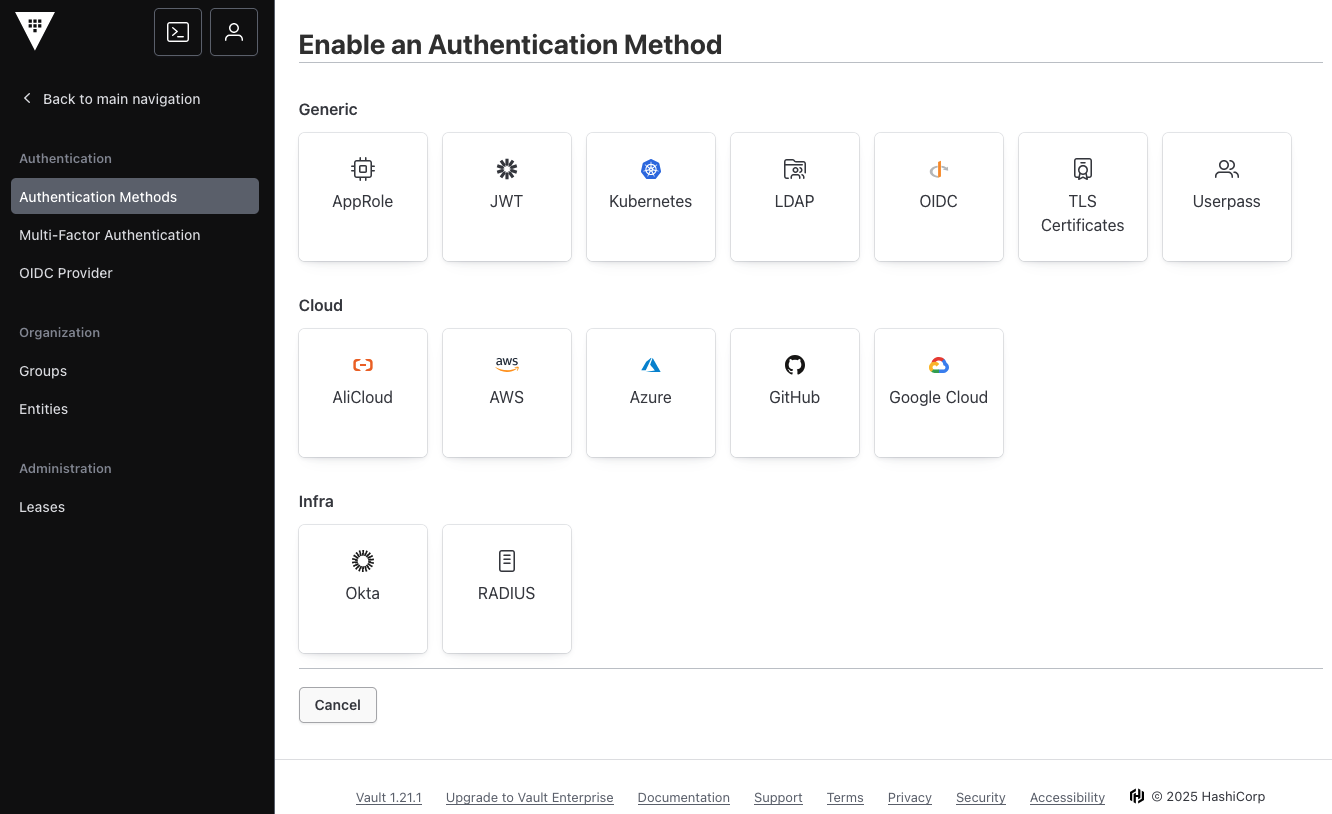
The other option is to access the plugin management and list authentication plugins.
> vault plugin list auth

Name          Version
----          -------
alicloud      v0.22.0+builtin
approle       v1.21.1+builtin.vault
aws           v1.21.1+builtin.vault
azure         v0.22.0+builtin
cert          v1.21.1+builtin.vault
cf            v0.22.0+builtin
gcp           v0.22.0+builtin
github        v1.21.1+builtin.vault
jwt           v0.25.0+builtin
kerberos      v0.16.0+builtin
kubernetes    v0.23.1+builtin
ldap          v1.21.1+builtin.vault
oci           v0.20.0+builtin
oidc          v1.21.1+builtin.vault
okta          v1.21.1+builtin.vault
pcf           v1.21.1+builtin.vault
radius        v1.21.1+builtin.vault
userpass      v1.21.1+builtin.vault
The following two sections contrast examples for builtin and user authentication methods.
Managing Builtin Authentication Method: Userpass
A new authentication method can be enabled by just passing its name. Several options can be passed already at initialization time, including the TTL of leases and plugin-specific options, or technical options like access to Vault-external entropy sources.
> vault auth enable userpass

# Log messages
Success! Enabled userpass auth method at: userpass/
core: enabled credential backend: path=userpass/ type=userpass version="v1.21.1+builtin.vault"
The default mount path can be changed, with the immediate effect that all existing tokens will be invalidated immediately. Internally, the authentication methods endpoints configuration will be copied, then unmounted, and mounted at the new path - a background operation that can take some time.
> vault auth move auth/userpass auth/login

# Log messages
Started moving auth method auth/userpass/ to auth/login/, with migration ID b332d7d5-719d-631c-e15c-a85d09c81fd6
Waiting for terminal status in migration of auth method auth/userpass/ to auth/login/, with migration ID b332d7d5-719d-631c-e15c-a85d09c81fd6
Success! Finished moving auth method auth/userpass/ to auth/login/, with migration ID b332d7d5-719d-631c-e15c-a85d09c81fd6
Once the authentication method is mounted, its configuration can be changed with the tune command. All options available during initialization can be accessed and modified. The following command shows how to change the default lease time.
> vault auth tune -default-lease-ttl=1h login/

# Log messages
2025-12-11T20:07:33.703+0100 [INFO]  core: mount tuning of leases successful: path=auth/login/
Success! Tuned the auth method at: login/
To get an overview to all defined authentication methods, run the following:
> vault auth list

# Log messages
Path      Type        Accessor                  Description                Version
----      ----        --------                  -----------                -------
login/    userpass    auth_userpass_208f6abe    n/a                        n/a
token/    token       auth_token_a5a09180       token based credentials    n/a
Each authentication methods can be used with the Vault CLI via vault login. A helpful shortcut to see when parameters an authentication method requires can be obtained as follows:
> vault auth help login/

# Log messages
Usage: vault login -method=userpass [CONFIG K=V...]

  The userpass auth method allows users to authenticate using Vault's
  internal user database.

  Authenticate as "sally":

      $ vault login -method=userpass username=sally
      Password (will be hidden):

  Authenticate as "bob":

      $ vault login -method=userpass username=bob password=password

Configuration:

  password=<string>
      Password to use for authentication. If not provided, the CLI will prompt
      for this on stdin.

  username=<string>
      Username to use for authentication.
Finally, a configured auth method can be disabled, immediately revoking all existing leases.
> vault auth disable login/

# Log messages
2025-12-11T20:14:25.462+0100 [INFO]  core: disabled credential backend: path=auth/login/
Success! Disabled the auth method (if it existed) at: login/
Managing User Authentication Method: OIDC
The OIDC method is activated and mounted at a predefined path.
> vault auth oidc

# Log messages
2025-12-13T11:20:44.946+0100 [INFO]  core: enabled credential backend: path=oidc/ type=oidc version="v1.21.1+builtin.vault"
Success! Enabled oidc auth method at: oidc/
However, it should be available at the path /openid-login. Let’s move it there.
> vault auth move auth/oidc auth/openid-login

# Log messages
2025-12-13T11:21:23.440+0100 [INFO]  core.mounts.migration: Starting to update the mount table and revoke leases: from_path=auth/oidc/ migration_id=64a573e0-b9f5-1a92-bf63-68578a90ee13 namespace="" to_path=auth/openid-login/
Started moving auth method auth/oidc/ to auth/openid-login/, with migration ID 64a573e0-b9f5-1a92-bf63-68578a90ee13
Waiting for terminal status in migration of auth method auth/oidc/ to auth/openid-login/, with migration ID 64a573e0-b9f5-1a92-bf63-68578a90ee13
2025-12-13T11:21:23.734+0100 [INFO]  core.mounts.migration: Removing the source mount from filtered paths on secondaries: from_path=auth/oidc/ migration_id=64a573e0-b9f5-1a92-bf63-68578a90ee13 namespace="" to_path=auth/openid-login/
2025-12-13T11:21:23.734+0100 [INFO]  core.mounts.migration: Updating quotas associated with the source mount: from_path=auth/oidc/ migration_id=64a573e0-b9f5-1a92-bf63-68578a90ee13 namespace="" to_path=auth/openid-login/
2025-12-13T11:21:23.735+0100 [INFO]  core.mounts.migration: Completed mount move operations: from_path=auth/oidc/ migration_id=64a573e0-b9f5-1a92-bf63-68578a90ee13 namespace="" to_path=auth/openid-login/
The OIDC authentication can be used in conjunction with an external system. To see tunable properties, run the following command:
> vault read sys/auth/openid-login/tune

# Log messages
Key                  Value
---                  -----
default_lease_ttl    768h
description          n/a
force_no_cache       false
max_lease_ttl        768h
token_type           default-service
Let’s limit the TTL, and ensure unauthenticated users can access the method as well.
> vault auth tune -max-lease-ttl=1m -listing-visibility=unauth openid-login

2025-12-13T11:37:08.199+0100 [INFO]  core: mount tuning of leases successful: path=auth/openid-login/
2025-12-13T11:37:08.456+0100 [INFO]  core: mount tuning of listing_visibility successful: path=auth/openid-login/
Success! Tuned the auth method at: openid-login/
To see how to perform a login with this method, run the following command:
> vault auth help openid-login/

# Log messages
Usage: vault login -method=oidc [CONFIG K=V...]

  The OIDC auth method allows users to authenticate using an OIDC provider.
  The provider must be configured as part of a role by the operator.

  Authenticate using role "engineering":

      $ vault login -method=oidc role=engineering
      Complete the login via your OIDC provider. Launching browser to:

          https://accounts.google.com/o/oauth2/v2/...

  The default browser will be opened for the user to complete the login. Alternatively,
  the user may visit the provided URL directly.
Finally, the authentication method will be disabled again.
> vault auth disable openid-login

# Log messages
2025-12-13T11:44:33.916+0100 [INFO]  core: disabled credential backend: path=auth/openid-login/
Success! Disabled the auth method (if it existed) at: openid-login/
login
To login to a configured authentication method, both the GUI and the CLI can be used. An invocation via the CLI requires the following command flags to be present:
method: The authentication method typepath: In case of a non-default mount path, it needs to be configured specifically.- parameters: Additional parameters as required by the authentication method
Continuing with the examples from the last two sections, to perform the login for the userpass method, run the following commands:
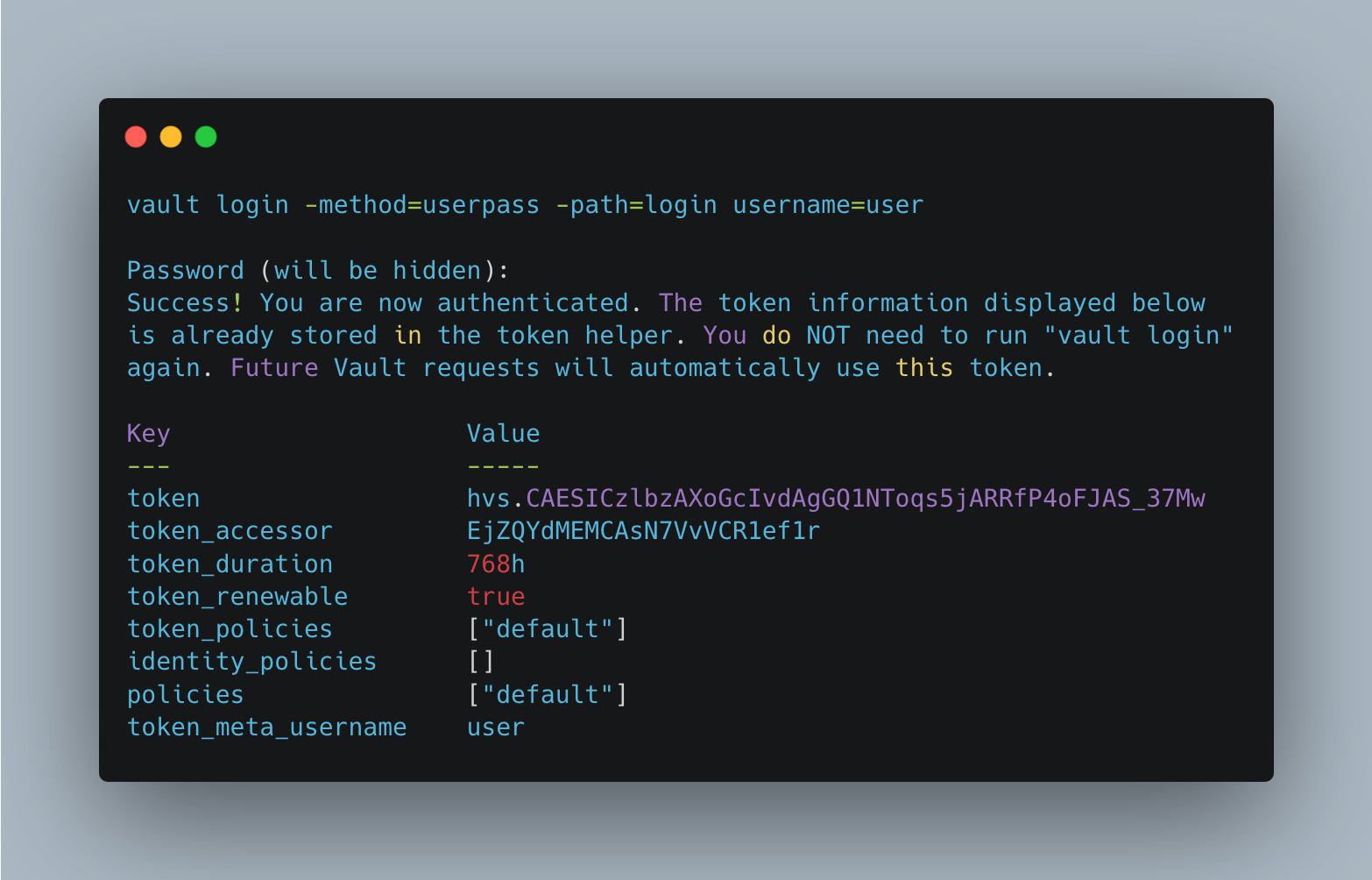
> vault login -method=userpass -path=login username=user

# Log messages
Password (will be hidden):
Success! You are now authenticated. The token information displayed below
is already stored in the token helper. You do NOT need to run "vault login"
again. Future Vault requests will automatically use this token.

Key                    Value
---                    -----
token                  hvs.CAESICzlbzAXoGcIvdAgGQ1NToqs5jARRfP4oFJAS_37Mw-HGh4KHGh2cy5ORGMzYmYyQWlGbFk5em92cHVuNXFBbkU
token_accessor         EjZQYdMEMCAsN7VvVCR1ef1r
token_duration         768h
token_renewable        true
token_policies         ["default"]
identity_policies      []
policies               ["default"]
token_meta_username    user
To properly setup the OIDC authentication method, additional steps are required: Registration with an OIDC provider, configuring the discovery URL and secrets in vaults, and the setup of policies and roles. Assuming these steps were done, the login works as follows:
> vault login -method=oidc -path=openid-login role=user

#logMessages
Complete the login via your OIDC provider. Launching browser to:

...

Waiting for OIDC authentication to complete...
Conclusion
The Hashicorp Vault CLI offers more then 30 commands. In this article, you learned all about authentication. First, authentication methods are enabled at a specific mountpoints. Their properties can be modified, their mount path changed, and a list of all active methods obtained. Not required authentication methods can be disabled, immediately revoking all token leases. Second, users and systems alike can use the CLI also to login. Providing the authentication methods name, its mount path, and other required parameters. When successful, a new token is created, access policies attached, and the token owner can interact with the Vault server.