In Hashicorp Vault, secrets are distinguished into static and dynamic. Static secrets are more long-term, stored encrypted in Vault, and given access to by tokens. Dynamic Secrets are created on demand at the target application when a token is issued, and removed when the token expires or is explicitly revoked. All secrets engines fall into one or the other category.
The TOTP secret engine is an exception. It creates one-time-password (OTP) tokens that are secrets themselves. In terms of password strength, they are rather weak with only 6-8 digits, but their lifetime is limited to typically 30 seconds. The primary use case is to show token ownership in this short lifespan, typically as a second factor when authenticating with a third party system.
This blog article is a complete coverage of the TOTP secrets engine. It shows the setup, groups and explains all API methods, and finally shows an application example.
The technical context of this article is hashicorp_vault_v1.21.1, released 2025-11-18. All provided information and command examples should be valid with newer versions too, baring an update of the CLI commands’ syntax.
The background material for this article stems from the official Hashicorp Vault documentation about TOTP secrets engine and TOTP secrets engine (API).
TOTP Secrets Engine
In Hashicorp Vault, secrets engines issue tokens that provide access to stored secrets. The default mechanism to implement this function is that a system or user authenticates with Vault, receives a token to which a policy is attached, and then uses this token to access other mount paths in the Vault instance. With the TOTP secrets engine, the secrets themselves are tokens - cryptographically rather weak with only 6-8 digits, but a very short time span and only one valid token at a time
The TOTP secrets engine can be used in two different roles. One role is the OTP generator. External applications that support second factor authentication expose a configuration URL. When this URL is registered as a Vault TOTP engine key, OTPs can be generated from it that are valid for the external application. The second role is as an OTP provider. Vault itself exposes API endpoints for generating short-lived OTPs, and provides an additional endpoint that validates these tokens.
In essence, the TOTP secrets engine issues one-time usable, short-lived secrets that are used as second factor when authenticating with external systems.
Setup
The TOTP engine must be enabled via GUI or CLI - the later will be used as it is in all other articles of this blog series.
> vault secrets enable -path /totp totp

# Log messages
[INFO]  core: successful mount: namespace="" path=totp/ type=totp version="v1.21.1+builtin.vault"
It offers a slim set of 6 API methods which are covered in the following sections.
Create Keys
Encryption keys are required for the TOTP engine to create its secrets. Either external keys are imported to Vault, or the keys are generated with Vault. Dependent on these, the API method features slightly different parameters.
To create a new key, the generate option must be passed. This option allows to configure the key size, the issuer and account name. To import a key, its remote URL and root key need to be defined.
Other options include to print the resulting URL for accessing the Vault key server, the hashing algorithm, the number of digits of the generated code (6 to 8), and the period time with which new TOTP codes will be generated.
POST /totp/keys/{name}
Manage Keys
To see the managed keys, a list can be created that contains only identification key.
GET /totp/keys/
All details of a specific key can be printed with a specific endpoint.
GET /totp/keys/{name}
Identified keys can be revoked. All currently issued TOTP tokens will also loose their viability immediately.
DELETE /totp/keys/{name}
Create or Validate Tokens
For a configured key, short-lived secrets can be created. Vault uses the key to generate a 6-8 digit value that is returned to the caller.
GET /totp/code/{name}
To validate a TOTP secret, it can be sent to the following endpoint, using the name of the key as an URL parameter, and a JSON structured request body containing the secret.
POST /totp/code/{name}
TOTP Secrets Engine Example: OTP Provider
In this example, Vault will be used as a provider for one-time passwords.
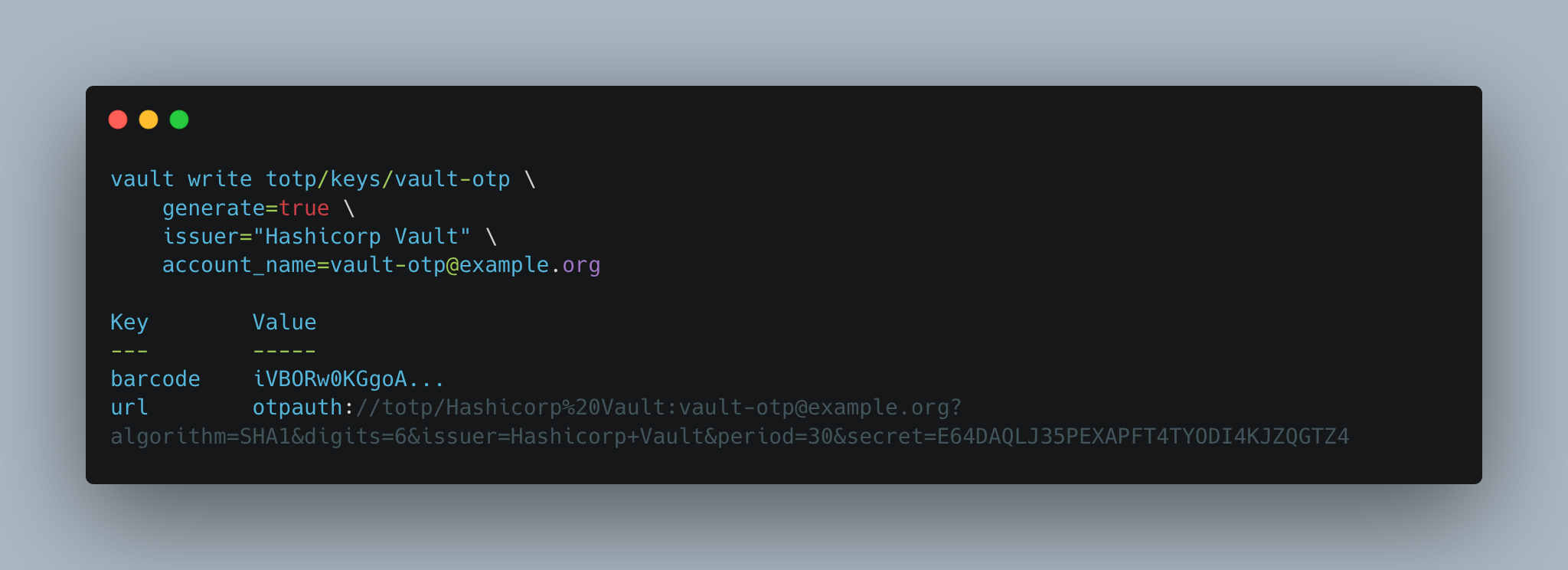
Once the OTP engine is mounted, a new key can be generated. Required parameters include the sub-path at the mount path, and meta data about the key issuer and his account name.
> vault write totp/keys/vault-otp \
    generate=true \
    issuer="Hashicorp Vault" \
    account_name=vault-otp@example.org

# Log messages
Key        Value
---        -----
barcode    iVBORw0KGgoA...
url        otpauth://totp/Hashicorp%20Vault:vault-otp@example.org?algorithm=SHA1&digits=6&issuer=Hashicorp+Vault&period=30&secret=E64DAQLJ35PEXAPFT4TYODI4KJZQGTZ4
For creating an OTP, two options exist.
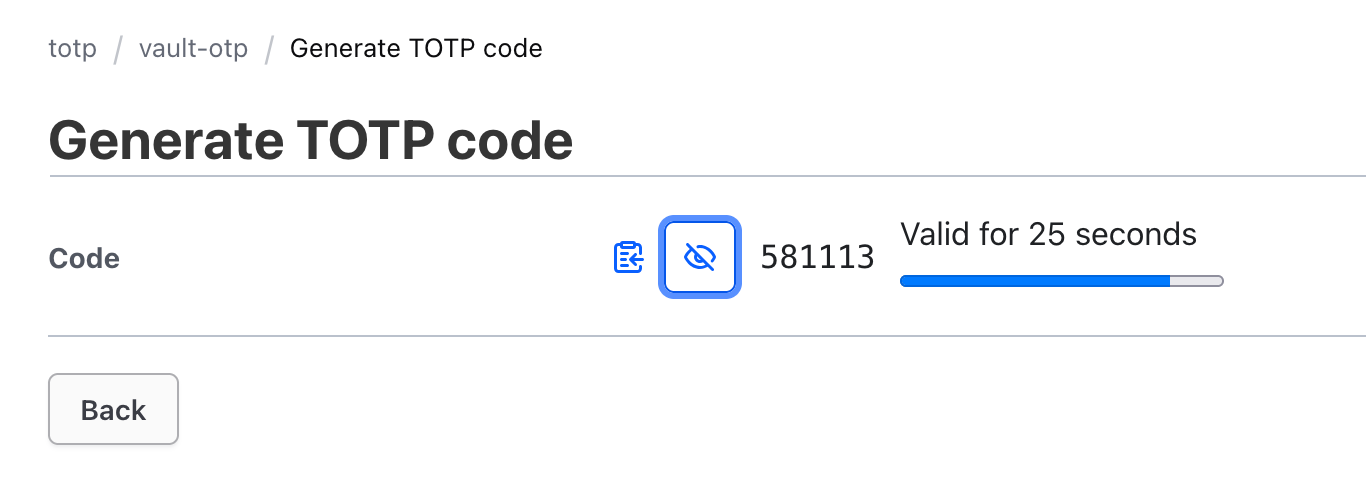
One option is to use the Vault GUI. Navigating to the secrets engines section, selecting the key-name, and then the following dialog appears:
The second option is the use the HTTP API.
> curl \
  --header "X-Vault-Token: $VAULT_TOKEN" \
  --request GET \
  http://127.0.0.1:8210/v1/totp/code/vault-otp

# Log messages
{
  "request_id": "a912546e-9454-3354-ad5d-52731f09225f",
  "lease_id": "",
  "renewable": false,
  "lease_duration": 0,
  "data": {
    "code": "306037"
  },
  "wrap_info": null,
  "warnings": null,
  "auth": null,
  "mount_type": "totp"
}
The generated code can be validated via the Vault CLI and the API. The API access can be used universally from other applications too, and is shown here.
Here is an example for the latter:
> curl \
  --header "X-Vault-Token: $VAULT_TOKEN" \
  --request POST \
  --data '{"code" : "306037"}' \
  http://127.0.0.1:8210/v1/totp/code/vault-otp

# Log messages
{
  "request_id": "cfa70339-189c-bd4a-bda0-13feaf6ccf51",
  "lease_id": "",
  "renewable": false,
  "lease_duration": 0,
  "data": {
    "valid": true
  },
  "wrap_info": null,
  "warnings": null,
  "auth": null,
  "mount_type": "totp"
}
Conclusion
Secrets engines govern access to and the creation of confidential data for various purposes. The TOTP secrets engine issues short-lived secrets, typically used as one-time-passwords. This compact blog article provided a complete coverage. It showed how to setup the engine at a defined path, explored the API methods to setup keys that create token, and the method for creating and validating secrets. An example showed how to uses these API methods. Overall, this engine fully complements Hashicorp Vault functionality as a tool for second-factor authentication.