Hashicorp Vault is a flexible secret management engine. It provides several authentication and authorization mechanisms, and stores secrets that represent credentials, ciphers, or certificates. To access Vaults functionality, successful authentication is required, resulting in an access token and associated policies. These policies determine which actions on which mount paths are allowed.
This blog article details Hashicorp Vault policies. It shows how to write policies in HCL, explains the action words and paths patterns, and shows several practical examples.
The technical context of this article is hashicorp_vault_v1.21.1, released 2025-11-18. All provided information and command examples should be valid with newer versions too, baring an update of the CLI commands’ syntax.
The background material for this article stems from the official Hashicorp Vault documentation about Policies and the tutorial Access controls with Vault policies.
Access Control Essential
Policies encode which actions, such as writing, reading or deleting, are allowed at specific mount paths of a Vault instance. Essentially, in a Vault instance, all functionality is accessible by mount paths. Both CLI commands and explicit HTTP API requests targets these paths. Policies underlie every interaction: For example, in order to create a token, the write action to path /auth/token/create is required. Any path and any action that is not part of a policy is denied.
Two built-in policies exist. The root policy provides complete access to all paths, and allows all actions. It is attached to the root token so that an administrator can setup a Vault instance initially. A complementing policy is named default. It is attached to all tokens (unless explicitly removed), and governs essential self-referential lookup and data access for the token itself.
Policies consists of a path declaration, which can be a fixed absolute path or include wildcard segments, and a list of actions. Should a token have multiple policies with overlapping path declarations, all applicable policies are resolved following the priority matching ruleset. Then, path access and targeted actions are checked, so that the access is either granted or denied.
Finally, some paths are only accessible by the root policy itself, or when the sudo action is allowed for a specific path - see the documentation about root protected API endpoints.
Hashicorp Vault Policies
Hashicorp Vault policies are written in the Hashicorp Configuration Language.
Policy Declaration
In its most simple form, they consist of only two mandatory declarations: path and capabilities. Here is an example:
path "PATH" {
  capabilities = ["cap"]
}
Additionally, parameters passed to the HTTP API endpoints can be set to be explicitly allowed, denied, or required.
path "PATH" {
  capabilities = ["cap"]
  allowed_parameters = {
    "key" = ["values"]
  }
  denied_parameters = {
    "key" = ["values"]
  }
  required_parameters = {
    "key" = ["values"]
  }
}
Finally, some HTTP API endpoints can be used for response wrapping to e.g. protect a sensible secret. When the endpoint is accessed, the data will not be returned as is, but a one-time access token to a cubbyhole secret is returned. For this API endpoint, the response wrapping validity TTLs can be specified as shown:
path "PATH" {
  capabilities = ["cap"]

  min_wrapping_ttl = "time"

  max_wrapping_ttl = "time"
}
Path Declaration
The path declaration can be a fixed, absolute path with multiple segments, or encompass two different wildcard symbols that match segments.
With the symbol +, one segment is covered. For example, the declaration path /auth/token/+ would allow access to /auth/token/create but not to /auth/token/create/{role_name}.
With the * symbol, any number of path segments are matched. The declaration path /auth/token/* includes any paths that have a prefix of /auth/token, and therefore access to /auth/token/create/{role_name} and auth/token/roles/{role_name} is covered.
Policy Actions
The capabilities property is a list of action verbs. Following values can be used:
create: Add a new entity definition.read: Provide read access to an entity definition.updateandpatch: Rewrite an existing entity definition (there is no clear distinction about their scope in the official documentation, but the CLI commandvault patchmaps to the same named action)delete: Remove an entity definitionlist: Enumerate all entity definitions by their name or ID (to obtain the full details of an individual resource, thereadaccess right is required)sudo: Provide full access to the entity, as well access to the mentioned root protected API endpointsdeny: Bar any access to the resource.
Except sudo and deny, all other actions directly translate to HTTP verbs or CLI commands when performing an operation at the desired path.
Policy Examples
This section shows three policies for managing authentication methods, managing a secrets engine, and creating orphaned tokens.
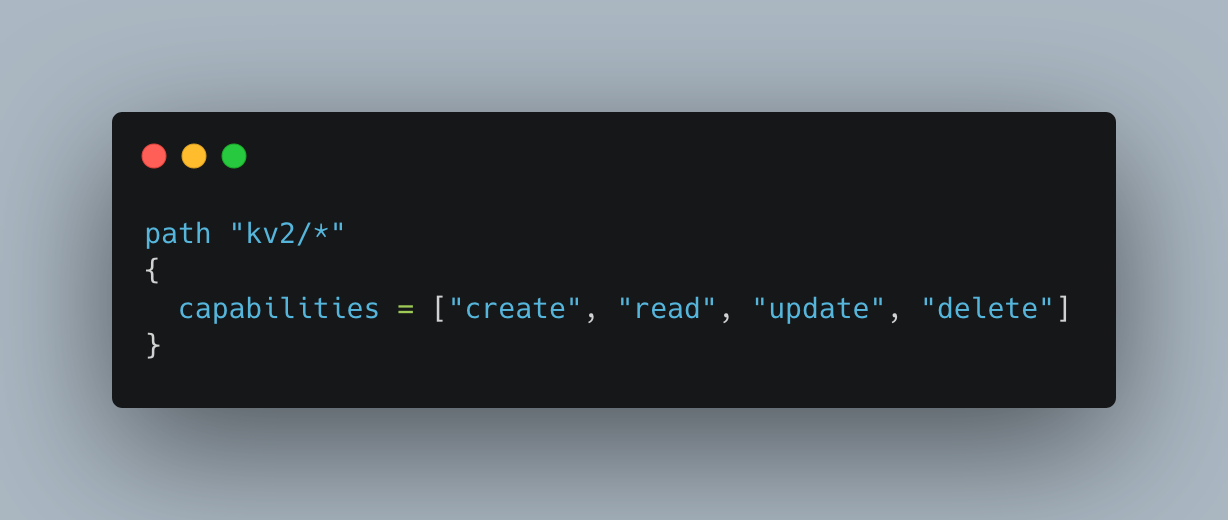
CRUD access to a custom kv v2 engine
path "kv2/*"
{
  capabilities = ["create", "read", "update", "delete"]
}
Complete management access to AUTH methods
path "sys/auth"
{
  capabilities = ["create", "read", "update", "delete", "sudo"]
}

path "sys/auth/+/tune"
{
  capabilities = ["create", "read", "update", "delete", "sudo"]
}
Create Orphaned Tokens
path "auth/token/create"
{
  capabilities = ["create", "sudo"]
}
Conclusion
The secrets management tool Hashicorp Vault implements fine-grained access control with the help of policies. This blog article showed how to declare policies in the compact Hashicorp Configuration Language syntax. Essentially, they consist of two parts. First, a path declaration, which can be fixed and absolute, or flexible by including wildcard segments. Second, actions in the form of verbs such as create, delete, list, deny and sudo. Declared policies are attached to tokens, and when using a token to access a path, applicable policies are resolved and processed in priority order. Finally, this article showed three example policies for managing auth methods, configuring a defined kv v2 secrets engine, and for issuing orphaned tokens.